
Room Features help describe or highlight room-specific qualities — like “Wi-Fi”, “AC”, or “Towels Included” — to better inform users during booking.
Steps to Add a Feature:
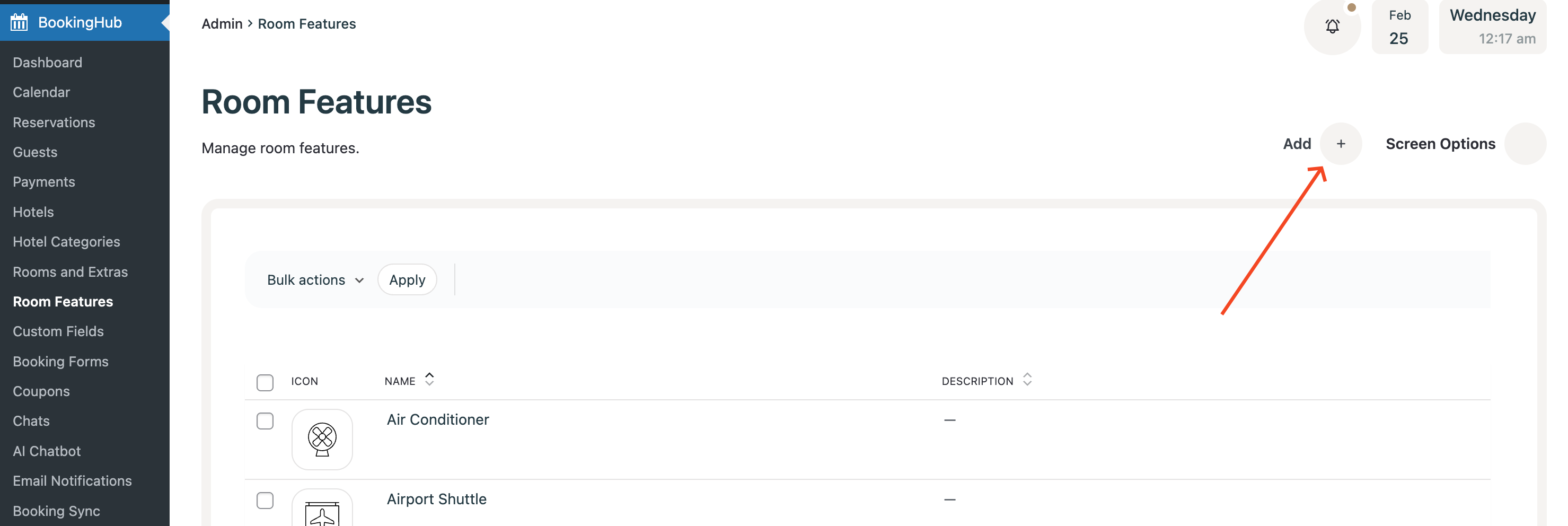
Navigate to BookingHub > Room Features
Click the
Addbutton.
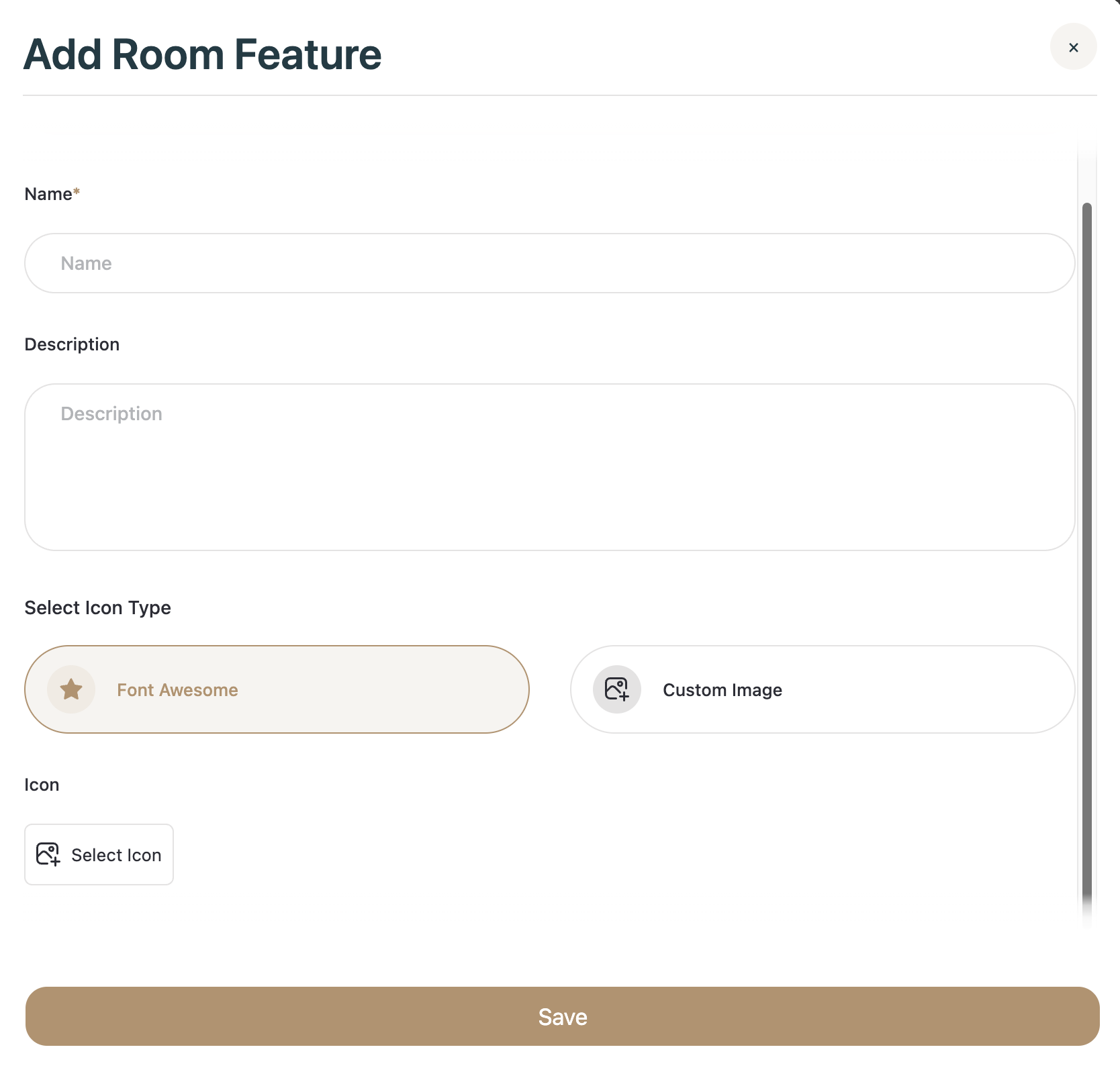
Fill in the details:

Name: Enter a short title (e.g., Wi-Fi)
Description: Add optional supporting info (e.g., Wi-Fi password will be provided)
Icon/Image: Choose an icon from the built-in library or upload a custom image.
Click Save to store the feature.
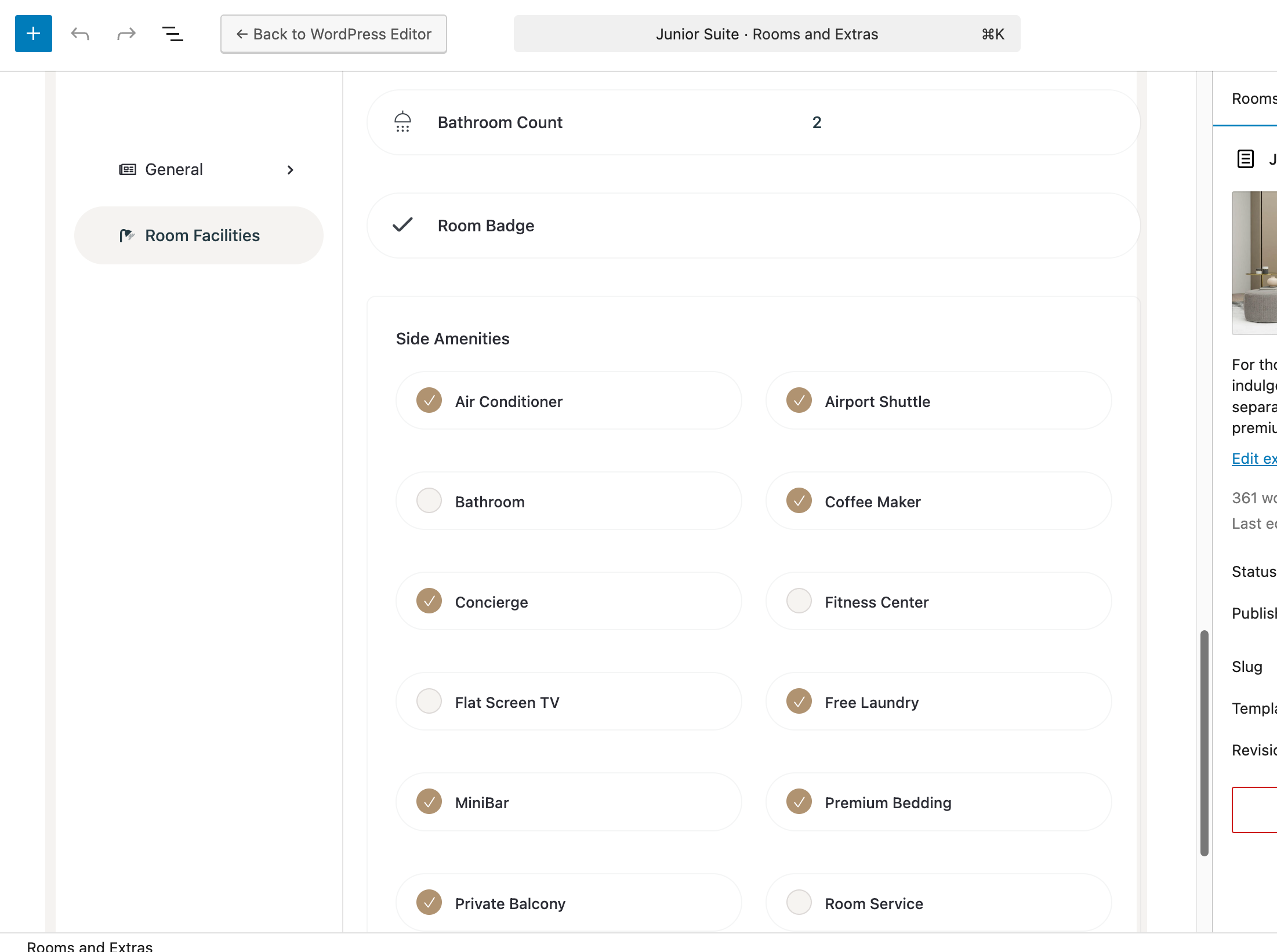
Go to BookingHub > Rooms and Extras.
Edit the room where you want this feature added.
In the Room Facilities tab, under the Side Amenities section, select the newly created feature.

Click Save — done!
Adding features helps your users better understand the offerings and benefits of your hotel rooms.