
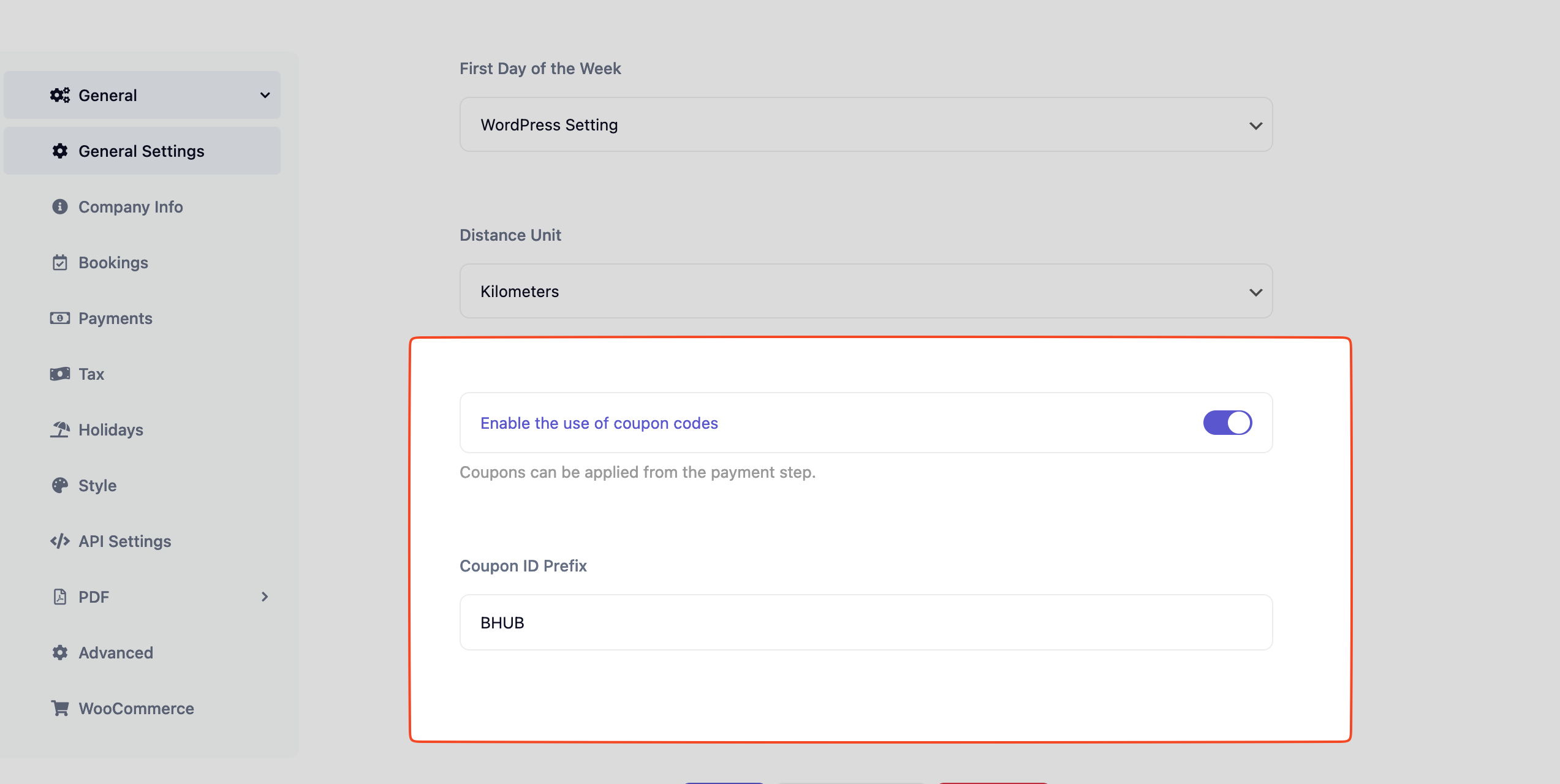
Navigate to BookingHub -> Settings -> General -> Enable the use of coupon codes
Also enter the coupon id prefix.
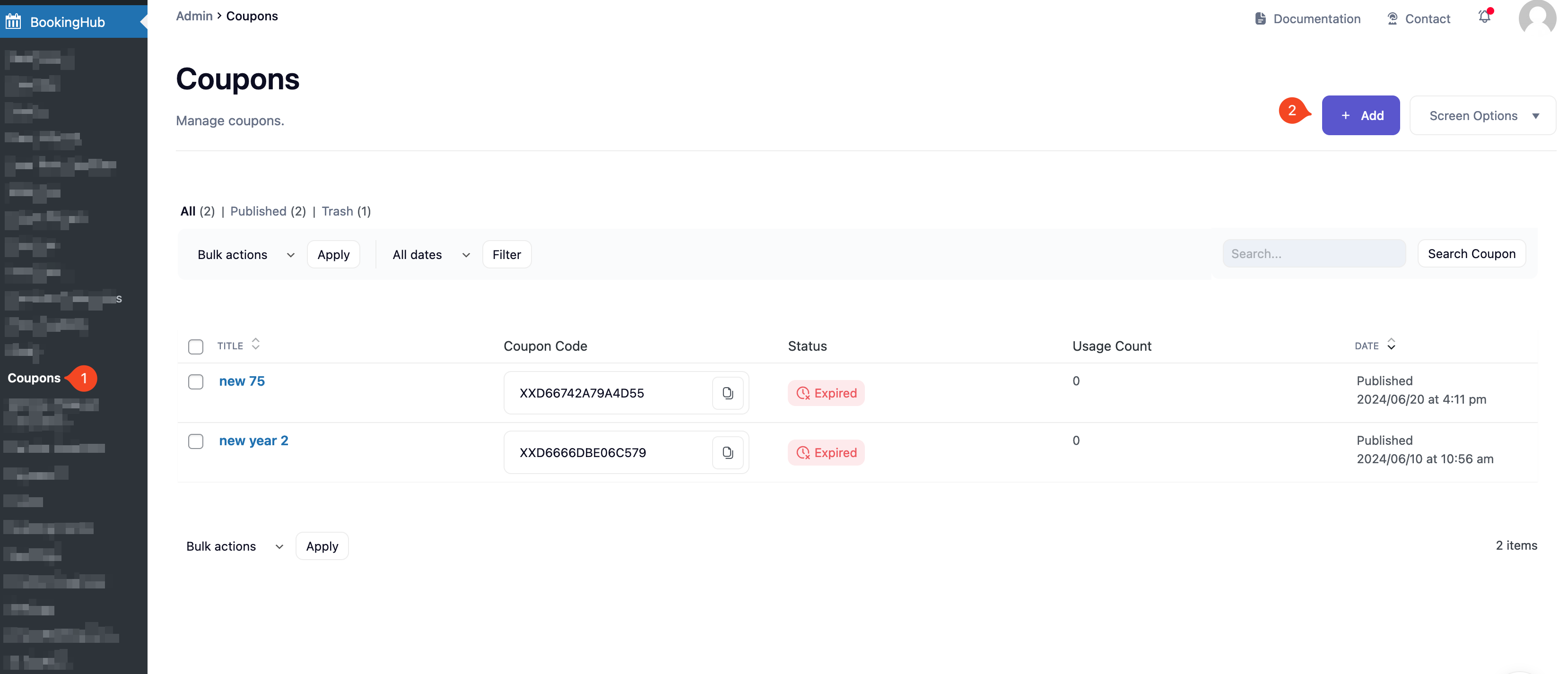
- Navigate to BookingHub -> Coupons
- Click “Add” button.


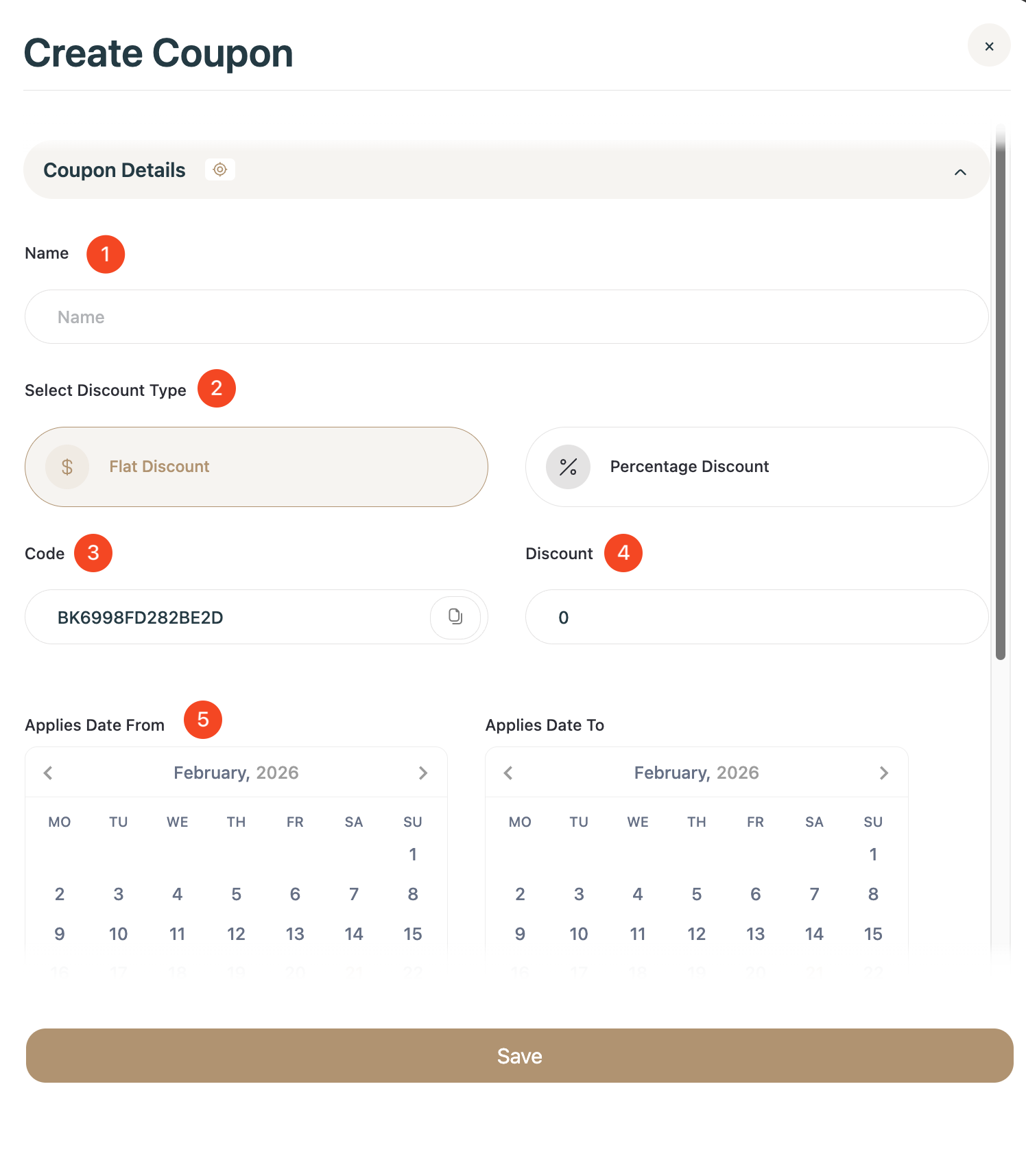
- Name: Enter name for coupon.
- Select Discount Type: Flat or Percentage
- Code: Code generating automatically but you can define as you want.
- Discount: Discount value
- Applies Date From/To: Date range for which the discount will be valid
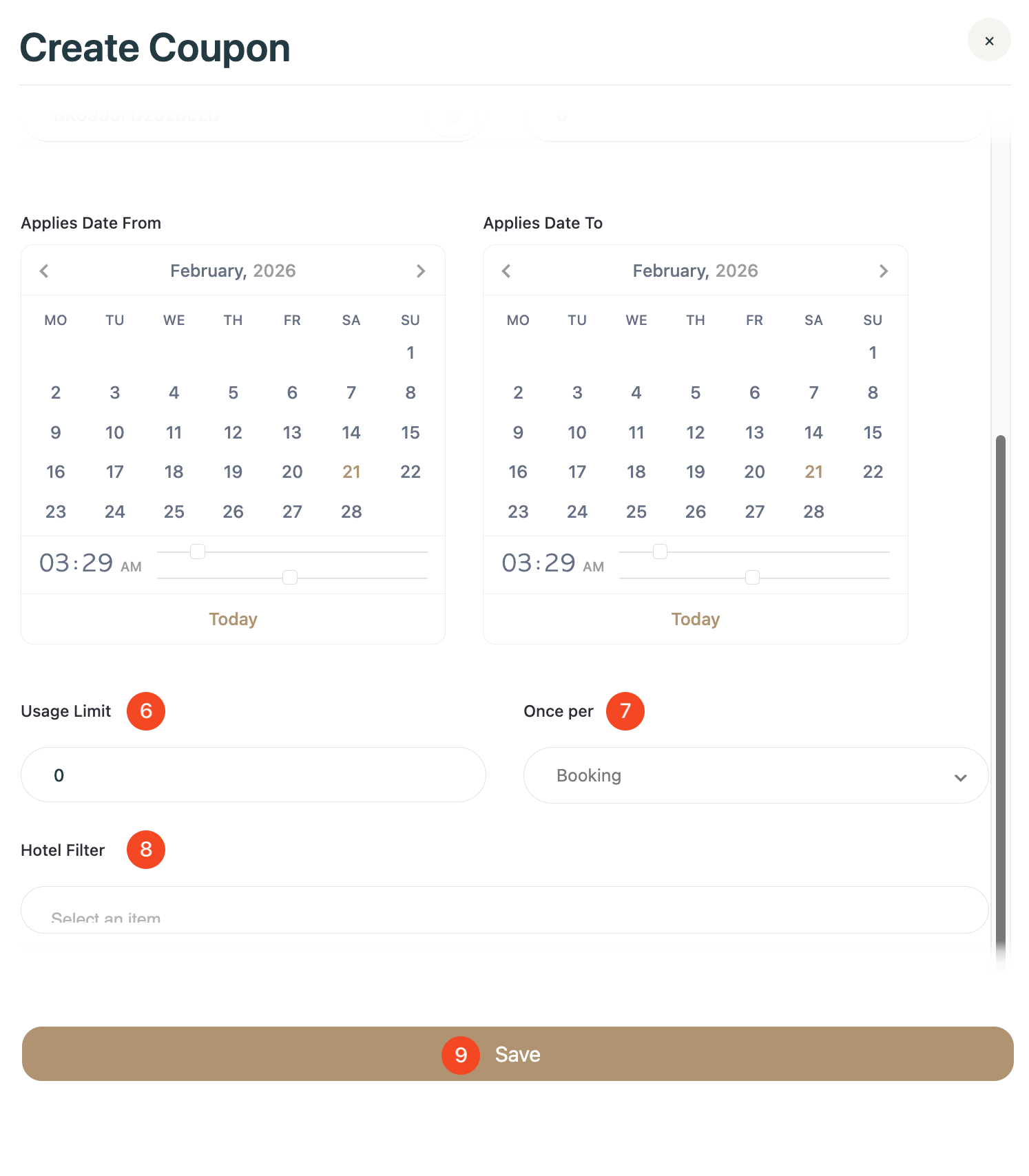
- Usage Limit: The code is invalid when this limit is exceeded
- Once per: Choose how to reduce the limit
- Hotel Filter: Limit the coupon usage to one hotel
- Save!
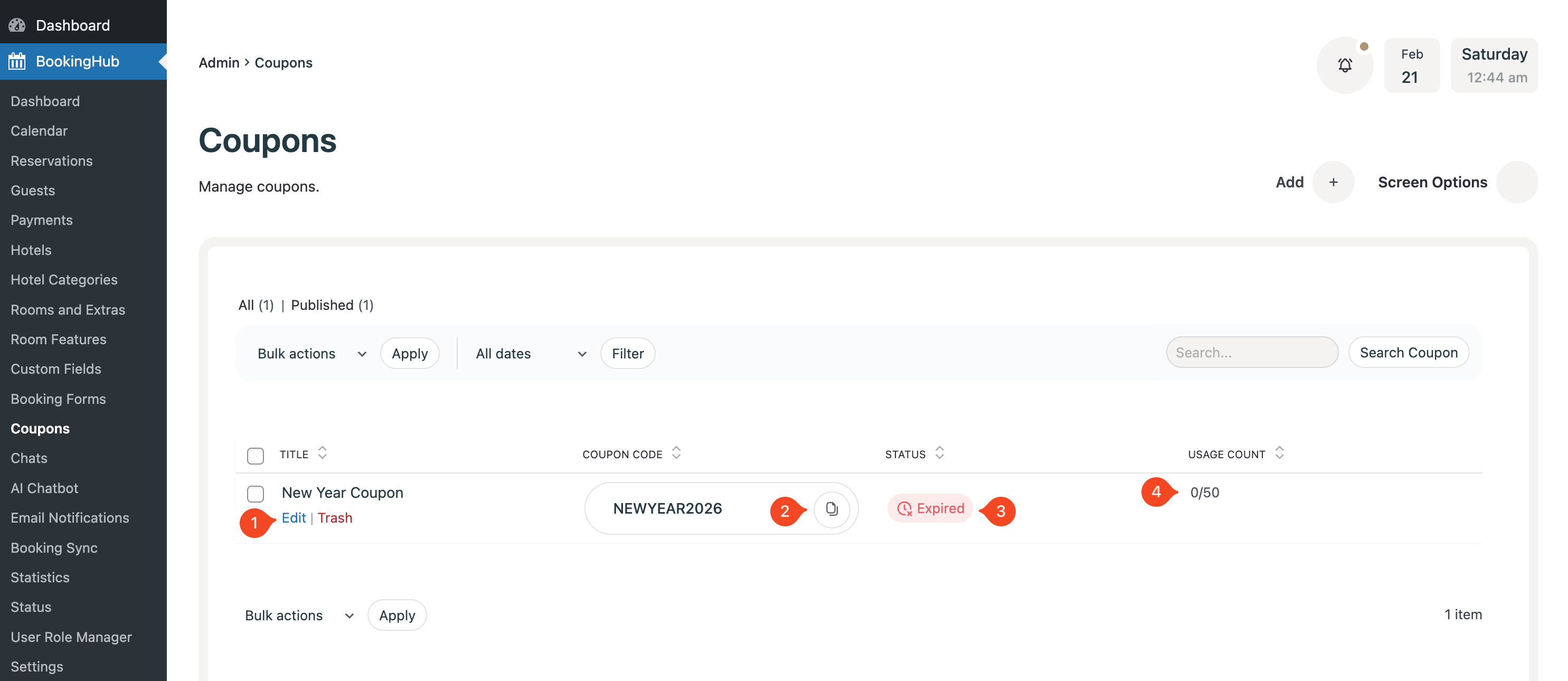
- Edit or Delete Coupon.
- Copy Coupon Code.
- Code Status.
- Usage count.